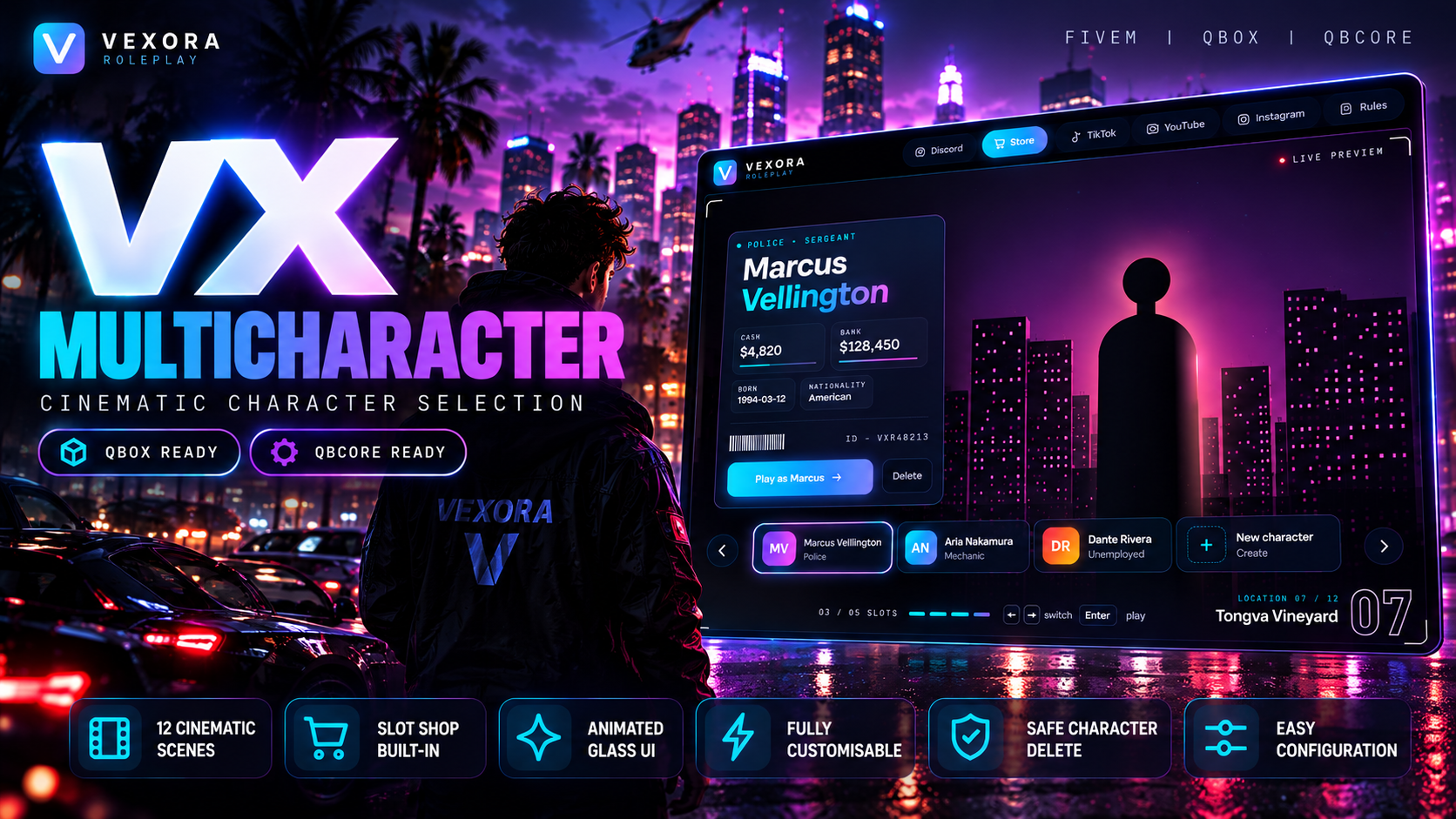
VX Multicharacter | Cinematic Character Select (Qbox + QBCore)
VX MULTICHARACTER | CINEMATIC CHARACTER SELECT
Demo - https://youtu.be/hT3orrXadGI
Qbox + QBCore | Animated glass UI | 12 cinematic scenes | Built-in slot shop | Escrow protected
Turn the first thing your players see into something worth remembering. VX Multicharacter replaces the standard character menu with a cinematic selection screen. Every character gets their own location, time of day, weather, pose and camera move, all wrapped in a modern animated interface with a built-in way to sell extra character slots.
HIGHLIGHTS
- 12 cinematic scenes: golf course, Del Perro Pier, Muscle Beach, Galileo Observatory, Mount Chiliad, Maze Bank rooftop, Tongva vineyard, Chumash Pier, Davis backstreets, LSIA runway, Vinewood Boulevard and Alamo Sea shore.
- Arrow keys switch character and location with a smooth fade, so every slot feels different.
- 6 camera moves: orbit, dolly, crane, pan, spiral and hero shot. The camera also pulls in automatically if a wall gets in the way.
- Different poses for male and female characters, using GTA scenarios and animations, with optional hand props.
- Animated glass UI: intro sequence, 3D-tilt character card, count-up cash and bank, particles, viewfinder HUD and scene-change effects.
- Works with Qbox and QBCore. The framework is detected automatically.
SLOT SHOP
- Locked slots appear in the menu with a Buy a slot button, a redeem box and a Check role button.
- Tebex codes: buyers redeem their transaction ID, or you can use a package command (vx_slots_addcode). Optional live Tebex API verification is included.
- Discord role slots: give extra slots to supporters and VIPs (needs a bot in your Discord server).
- Giveaway codes, plus admin commands to generate codes or give slots directly.
- Slots are the base amount plus purchased, redeemed and role bonuses, up to your maximum.
- Wrong codes are rate limited to prevent guessing.
CHARACTER CREATION AND SAFETY
- Name, age and nationality checks, with 26 nationalities you can edit in the config.
- Optional unique-name enforcement.
- Safe delete: the player types the character's name, then holds a button to confirm. Delete can be turned off or restricted with an ace permission.
- Action cooldowns, and characters are previewed in a separate routing bucket.
- Starter items for new characters, configurable.
- Works with illenium-appearance, fivem-appearance and qb-clothing, and common spawn selectors.
EASY TO CUSTOMISE
- Accent colours, server name, social links and the rules window are all in config.lua.
- Lite mode turns off blur, particles and film grain for lower-end PCs.
- Add, remove or edit scenes. The included /vx_scene command copies your position and heading so you can paste it straight into the config.
- Respects the system "reduce motion" setting.
REQUIREMENTS
- ox_lib
- oxmysql
- qbx_core or qb-core
- An appearance resource, such as illenium-appearance
- FXServer artifact 5181 or newer (required for escrow)
INSTALLATION
1. Put the vx_multichar folder in your resources directory. Make sure hidden files are copied, including the .fxap file.
2. Add this to your server.cfg, after its dependencies:
ensure ox_lib
ensure oxmysql
ensure qbx_core (or qb-core)
ensure illenium-appearance
ensure vx_multichar
3. Qbox: set useExternalCharacters = true in the qbx_core config. QBCore: stop qb-multicharacter.
4. Edit config.lua to suit your server. The database tables are created automatically.
ESCROW AND FILES
- Protected with Cfx.re Asset Escrow. The Lua scripts are encrypted.
- config.lua and the README are left open so you can edit them.
- The interface (the web folder) is not covered by escrow, as is standard for NUI resources.
BEFORE YOU BUY
- Scene locations use approximate coordinates. Check them on your map and adjust with /vx_scene if you want to move them.
- If you use a spawn selector, check that it is listed in the config. The common ones are already included.
- The Discord role and Tebex API features need extra setup, which is explained in the included README.
SUPPORT
Need help? Open a ticket on our Discord: https://discord.gg/VpdKmBpWJT
Delivery: Instant Delivery
Refunds: No refund
- ⚡ Instant delivery
- 🔒 Secure Tebex checkout
- 🔄 Free updates